Determine the provider screen
This topic provides an overview of the Determine the provider screen and all the settings and buttons on it.
 Overview
The Determine the provider screen allows you to determine the operator who provides the cellular service to a mobile phone number. This screen can be opened from:
- the main menu then click Search then Determine the provider.
-
the main menu then click Home. When you enter a number and click Search the Determine the provider screen opens.
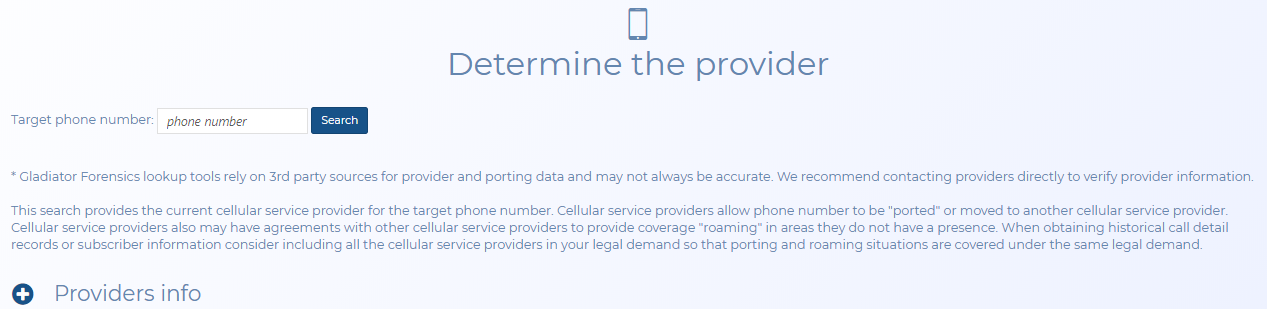
Settings and buttons
Target phone number
Enter the phone number and click Search to find the operator of the phone number. You can only enter one phone number at a time, and the number can also include spaces and "-".
Search result
Displays the current operator of the target phone number. Click Send email to send an email immediately to yourself which includes the operator's details. If you are aware that the phone number was with two or more operators during the time period you are analyzing use Operators info to select all the other operator details to also be included in the email.
Providers info
The contact number and email addresses of each operator are listed. By default the operator listed in Search result is selected but you can select others if required, for example if you are aware that the phone number was with two or more operators during the time period you are analyzing. Click Send email to send an email immediately to yourself including all the details for the operators that have their check-box selected.
If OSS-ESPA does not provide any results then a number of other organizations that may be able to help you are listed. Note that Gladiator Forensics cannot provide you with further assistance with these organizations.
- iConnectiv is a database containing information on who the phone number may belong to.
- NANPA may be able to provide details of who the operator is.
- search.org may be able to provide you with further information if the phone number is associated with an application such as a Google phone.